
PATTERNS · MATERIALS · YOUR OWN DESIGN
DIY fuse bead bags, designed by you.
Make a fuse bead purse, tote or bucket bag with your own pixel artwork. Beadia helps you choose a bag shape, design its panels, see the result in 3D and download a free fuse bead bag pattern.
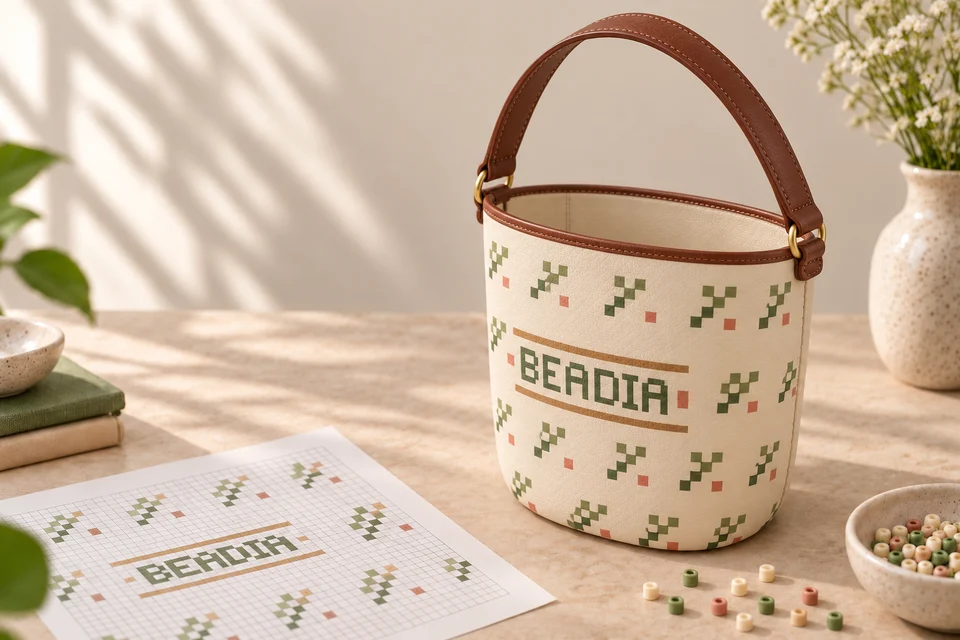
Draw on bag panels and export the unfolded design
Beadia's bag designer connects a 3D model to its panel drawing grids. Select a paintable panel in the 3D preview, draw the artwork in the linked grid, then download the saved design as an unfolded pattern PDF. Read the 3D bag pattern workflow with a real editor and export example.
Choose a fuse bead purse, tote or bucket bag
A tote, bucket bag and small pouch use different panels and joining edges. Choose from 20 models before drawing your design so the pattern keeps the correct outlines and cutouts. A flat photo-to-bead pattern alone does not define a three-dimensional bag.
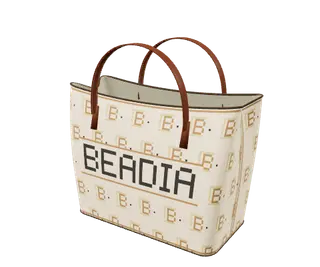 Soft Tote · B001
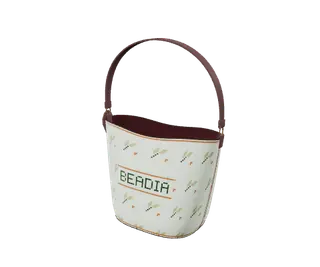 Soft Bucket · B003
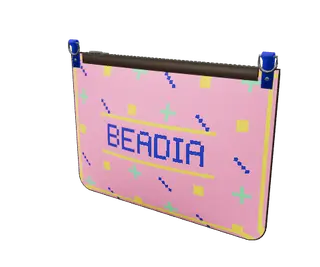 Zip Pouch · B005
How to create your DIY fuse bead bag pattern
- Choose a model. Open Bag Studio and select a bag. The editor loads its original panel shapes and bead grid.
- Design each panel. Draw a motif, change colors or try an original Beadia style. Check the front, back, base and any separate side pieces used by that model.
- Review the 3D preview. Rotate the bag to check how the artwork meets at edges. The preview helps you plan the design; follow the model-specific instructions for construction.
- Save and download the free PDF. Your export includes the unfolded layout, color key and bead quantities. Each occupied grid cell represents one bead; blank cells and cutouts remain blank.
- Prepare materials and follow the model tutorial. Check compatible beads, the joining method and the matching handles or hardware before assembly. Different bag models need different parts.
Plan your beads and model-matched accessories
Use the final pattern's quantities rather than estimating from the 3D image. The shopping panel lists the nearest MARD color codes and packs of 100 beads. Rounding each color up to a full pack means the number of supplied beads can exceed the exact pattern count.
Match bead size and colors to your pattern, and check the accessories for your selected model. Handles, straps, closures and joining supplies depend on the bag. A fuse bead panel project uses a different construction method from a threaded seed bead bag; use the instructions and materials intended for your model.
For example, the current B003 pattern contains only its main bag panels A, B and C. Its separate small pouch has been removed. Check your downloaded PDF for the complete layout and current bead count.
Free bag patterns and optional DIY bag materials
Designing and downloading your bag pattern PDF is free, including as a guest. Sign in to sync a saved design to My Templates, then submit it for administrator review if you want to share it. Only approved customer templates appear publicly.
The printed pattern and A4 tutorial have a price of $0. Beads, model-matched accessories, gift packaging and finished assembly are optional selections. The current quote shows your chosen model's prices; shipping and applicable taxes are shown at checkout.
Questions before you make a beaded bag
Can I use a photo as my bag artwork?
You can create pixel artwork with the photo-to-pattern tool and use it as a design reference. The bag editor lets you add a reference image. Check the artwork against the selected bag's panels instead of treating a flat picture as a complete bag pattern.
What should I check before printing?
Review every panel, the color key and the scale information in the exported PDF. Keep cutouts and joining edges unchanged. The 3D preview shows appearance; the unfolded grid is the reference for bead placement.
Can I save a draft without sharing it?
Yes. Signed-in designs are saved privately in My Templates → My created templates → Bag templates. Submitting a design requests a review; saving alone does not publish it.