
BAG MODEL → YOUR ARTWORK → UNFOLDED PATTERN
Design a fuse bead bag. Export its unfolded pattern.
Beadia Bag Studio is a browser-based fuse bead bag pattern maker. Choose one of 20 built-in bag models, select a panel on the 3D preview, draw your pixel artwork in its linked bead grid, and export the design as a flat unfolded PDF with color codes and bead counts.
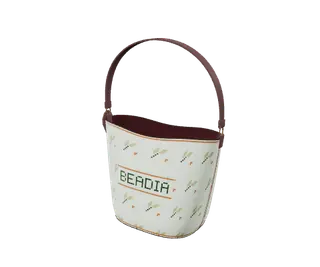
From a 3D bag model to a flat bead pattern
- Choose a bag shape. Open the model chooser, select a tote, bucket bag, pouch or another built-in shape, then choose “Start creating”. The studio currently includes 20 models.
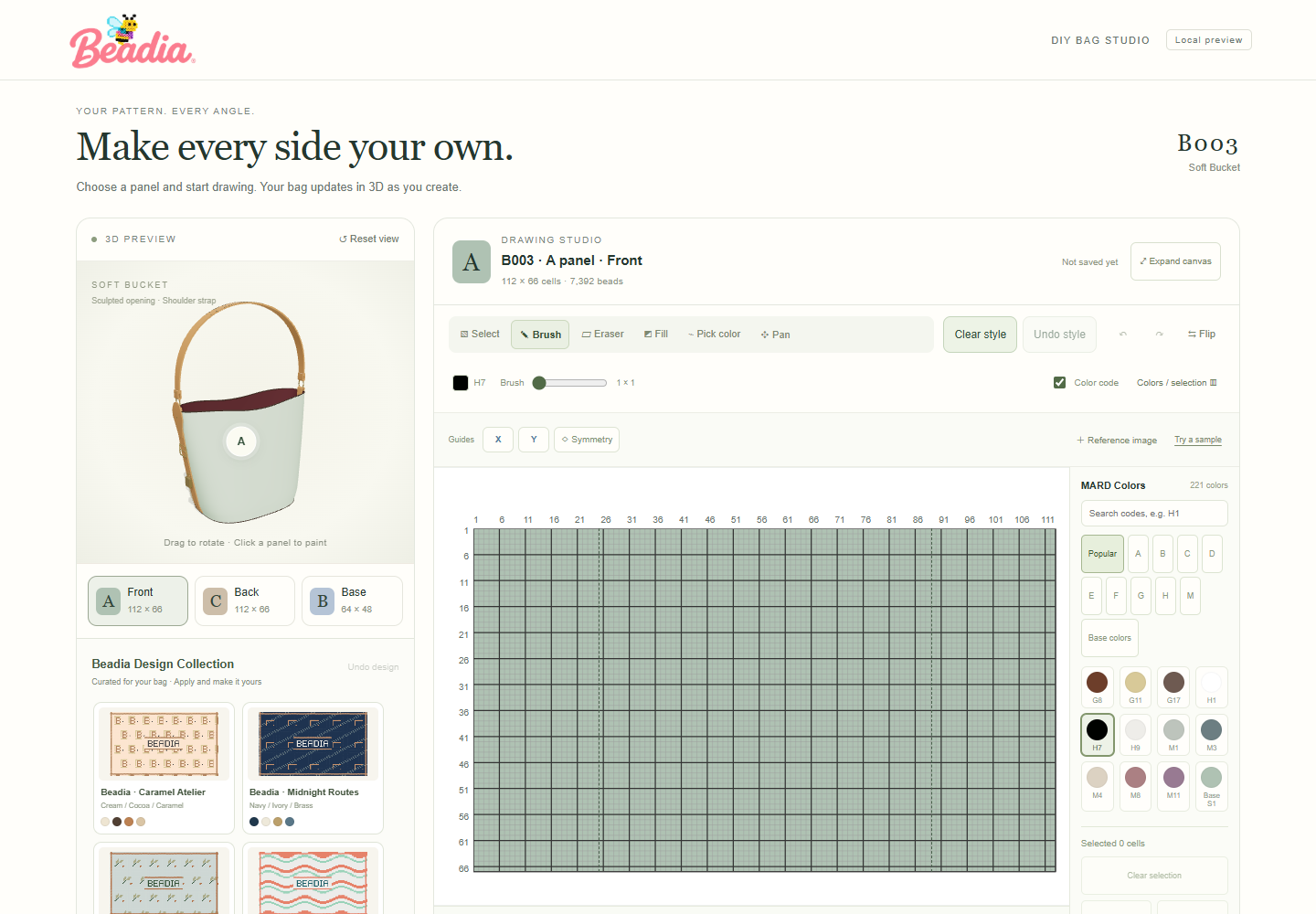
- Select the panel you want to design. Click a paintable bag panel in the 3D preview or use the panel controls. The corresponding drawing grid opens with that model's existing outline, cutouts and joining edges.
- Upload a photo or draw on the linked bead grid. Use “Upload photo” to fit, move, rotate or mirror a photo within this panel’s existing outline. Preview the MARD-matched bead grid before applying it; other panels stay unchanged. Photos are processed on your device. Use the brush, eraser, fill and color tools to edit the panel. The same artwork appears on the 3D bag preview, so you can rotate it and inspect the result across faces.
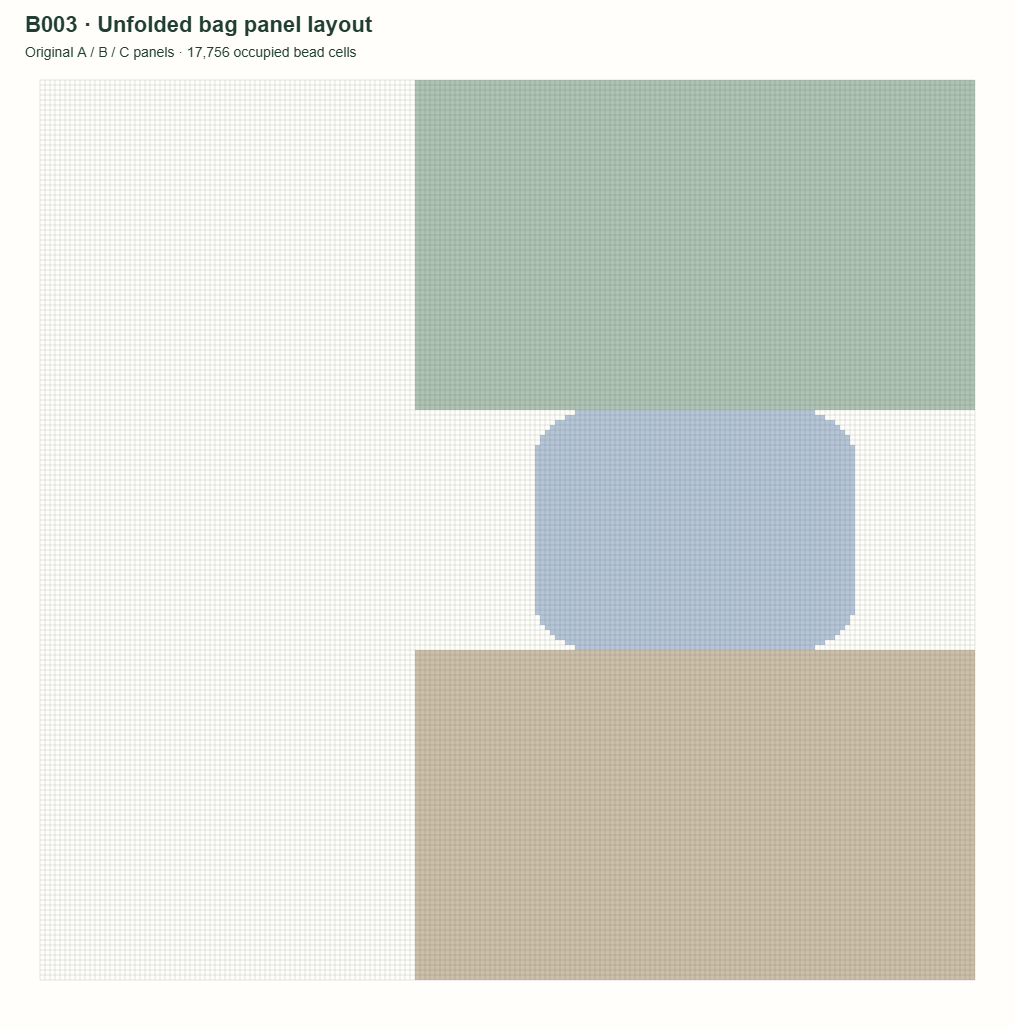
- Save and download the pattern PDF. If any panels still use their system default colors, a confirmation lets you return to editing or continue using those colors. The exporter maps your painted panels back to their original flat layout. The PDF contains the unfolded bead grid, color key and bead quantities.
The drawing surface is the linked panel grid. Selecting a panel on the 3D bag chooses what to edit; dragging the 3D preview rotates the bag. This makes the drawing and the model part of one workflow.
A real B003 editor and unfolded-layout example
These images come from Beadia's built-in B003 model and editor, rather than a generated product photograph. The original B003 layout currently contains panels A, B and C with 17,756 occupied bead cells. Blank cells and cutouts are preserved; the removed small pouch is excluded.
Is this the tool for the pattern you want to make?
| Your goal | Beadia workflow | Result |
|---|---|---|
| Draw a design for a three-dimensional beaded bag | Bag Studio: choose a model, edit its panel grids, inspect the 3D preview | An unfolded bag-pattern PDF with panel outlines, color codes and bead counts |
| Turn a photo into a flat bead picture | Photo-to-pattern creator | A flat image pattern; the photo alone does not specify a bag's construction panels |
| Prepare beads, handles and accessories | Material preparation guide and the bag's shopping panel | Optional materials and model-matched accessories, priced separately from the free PDF |
Questions about drawing bag patterns online
Can I design on a bag model and export a flat unfolded pattern?
Yes. Beadia connects the bag's 3D preview to its paintable panel grids. Choose a panel on the model, draw in that panel's grid, then export the saved design as an unfolded PDF. The export restores the model's original panel layout.
Is the bag pattern maker free?
Bag pattern design and PDF export are free. You can save locally and download as a guest. Sign in to sync a design to My Templates. Beads, accessories, gift packaging and assembly are optional paid selections.
Can I change the bag structure or import any 3D model?
The workflow uses Beadia's built-in bag models and their existing panel geometry. It is not a general-purpose CAD tool for importing arbitrary 3D meshes or automatically unfolding any handbag. Check the selected model's outline before drawing.
Is this for fuse bead bags or threaded seed bead bags?
The editor creates grid-based fuse bead bag patterns. A threaded seed bead handbag uses a different assembly method; use the instructions, bead size and joining method intended for your selected model. The 3D preview does not replace construction instructions.
Does the leather-looking preview mean the pattern is a leather sewing pattern?
No. The 3D appearance is a design preview. The download is a bead-grid layout for the chosen model, not a leather cutting pattern or a guarantee of a finished physical material.
Where do I start?
Choose a bag model, select it and open the editor. For materials, printing checks and assembly preparation, read the DIY beaded bag guide.
Photo-to-panel workflow and default-color confirmation updated on .